
Metamorphosis - Production/Post

Updated: May 11
Updated newest to oldest -
Hello everyone! It has been a bit, but we are now in production for our senior visual effects project, Metamorphosis.
May 10h, 2026
Things I need to do:
Make 3A longer, and tone down the brightness. Make the moonlight not as orange as well.
2C tree FX needs to have better color management.
2B is way too dark in comparison to other shots.
I think the music in the edit is too loud; turn that down.
Start coloring the final, have a good starting point, so when I get the final shots, I can quickly color them.
What I worked on:
The trickiest part was that moonlight beam in 3A. Hannah wanted it not to be see-through while still seeing the particles. I was struggling with having it be seen and not too bright, or be too orange. Finding that balance was difficult
I still need to find a solution to that. Right now, 3A just seems way too bright, so figuring that out will happen.
It was also pointed out to me that the edit somehow got rendered out as 29 fps, so I went ahead and reassembled the edit back together on Davinci instead of Premiere Pro. This also gives me the ease of coloring the shots.
Tracking and roto-painting the fairy's back was also really difficult. Specifically, 2B, where she turns midway and starts off-screen. My rotopaint isn't the best, but it got the job done.
May 5th, 2026
Need To Do:
Have the roto paint body portion done at least by Friday, if not earlier.
Once the group has given me updated assets, just get the shots done by the ones that are closer to being done.
Have my final comps done by Sunday morning.
Again might need to help on other shots as well.
Class 15 Monday. Need updated edit.
By Sunday at like 7 pm, I would like updated shots done.
This way, I can have some time to put the edit together.
Midterm Update:
April 21st, 2026
Things to DO:
Keep roto painting the back for wing integration.
Fix hair roto painting. (Find faster way?)
I think the color matching could be better so just making sure that is perfect.
Could take on more shots if necessary.
Upon watching edit and comparing shots. I noticed a lot. First in 2B the tree has really harsh shadows, so I need to fix that. I noticed in 2C all the elements seem to move and different times or at different speeds, it doesn't line up. Fixing that is crucial. I also took note that the sparkles floating around her are too white, I want to make them more pink, in relation to the next shot. I also noticed the tree FX might need to town down in saturation with that hot pink as it fades away. I think the beginning also might have to be re-rendered out to have the particles move. And then just need to keep tweaking and making sure all shots are cohesive to each other. :)
For 2B and 2C I have added the FX that Gracie has handed off to me. In 2B Gracie added a bit of hand sparkles that were pretty easy to add.
Through Sydney, I added an anamorphic glow to the scene, this way all the scenes can look cohesive.
3A has yet to have an updated environment, however I made sure you could see the background. While I wait for the environment and moon FX, I have used volume rays to make it look like the moonlight is glowing through the trees.
Also, in 3A I started the process of removing the back track and roto painting her back in again. This is somewhat tedious as I track the tracker, paint and track the paint for a period of time. I am still waiting for the wings to be rendered out; this way it can cover a lot of the back. I do want to go back in and make sure the hair matches in all frames, not it randomly jumping around.
Here is the finished product for that:
For 2J you can see a bit of the back tracking block, so I needed to roto and roto paint the back to make it look like it was not there. I realize now that hair is so hard to make it look good with roto paint... but that is what I have so far. I want to do some research or spend more time on it making sure it looks better. However, it will be covered by the wings, so I am hoping it is not too noticeable.
Then the next thing that I needed was to relight. She whips around because she feels the presence of the moon so there needs to be light from the moon.
April 5th, 2026
So for class 5, I got a good chunk of the way through completing shot 2C. Gracie handed off FX on Saturday. Also, a lot of time has been put into rerendering the environment and lighting, so waiting for that has been tedious.
I also started figuring out with Sydney's help how to track the wings for seamless CG integration, using Syntheyes from BorrisFX to track and export.
SHOT 2B COMP
I still need to fix my hair details, just keying the roto so it looks seamless.
Fix the edge clipping in the tree when the fairy walks past.
Fix her transparent hand at the end.
How I did Comp 2C
After Keying, I had to create normals using Beeble.com. Using their auto render, with about 100 frames per render out. Bringing the exrs back into nuke so I can use a normals rotate node and relight the shot to create more of a pink light from the FX.

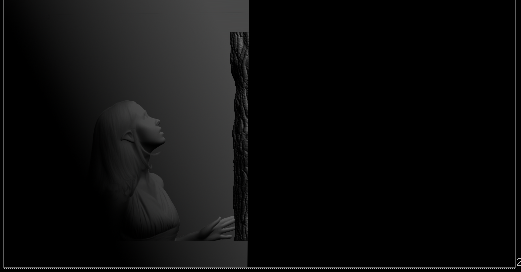
I then had to use Sihlouette also from BorrisFX. Using Shiloutee and this tutorial on youtube: Create Auto-animated Mattes with Matte Assist ML & EZ Mask in Silhouette 2024 [Boris FX]
I used this tutorial so I could create a matte that makes it easier to have the fairy's hand brush over the tree, getting rid of the practical tree that was on set.
Using the matte was very simple and easy to use. It helped quicken the process of replacing the tree.


I then had Gracie's FX added to the tree with a method she had already created for the bunny simulation.

THINGS TO DO:
Finish roto and fix edges.
Update 2C with Gracie's FX particles
Track wings
Create more normal maps for the other shots
Fix overall lighting
March 19th, 2026
For this upcoming semester, I really want to make sure I am helping my team in the way I need to be. I want my comps to look way better than they have been.
For me this quarter is going to be a great quarter of developing my comp skills so that our project may end up on my demo reel. I want to fully comprehend nuke and learn the skills necessary to create beautiful scenes.
March 9th, 2026
I worked on creating the motion graphics for our title card. Taking notes from the class and other team members that the color seeped into the background, the glow being too strong, and the text was just large in general. I wanted the design to be pink as the wings are, with a little bit of motion in it as well.
Starting off with the motion of the text I wanted to create a handwriting effect. Following a tutorial on YouTube: Handwriting Text Animation in After Effects – Easy Write-On Effect Tutorial
I then wanted a moving texture on the actual text, adding a VR Fractal Noise, keying the evolution so it looks like the texture moves.
I added a tint to help change the color to pink instead of white. Then, I added a glow on top to finish the look. My final touch was a light sweep, starting when the Butterfly rests on the M.
For the Butterfly fluttering and landing on the title, I found a font that loosely resembled a butterfly wing. I created motion by making the letter follow a path, then keying the scale and position of the letter.
I also worked on some comp shots, one with the sparkles on her hands and around the tree. With some other shots that I just added the background into.
Taking some of the feedback from the class again I changed the edit taking out some shots and rearranging them
February 15th, 2026
I have been working with Sydney to get some comp edges fixed. It is has taken me a while due to some trouble with roto painting the white tracking dots out of the actor's hair. I will admit I am still working on cleaning up shots with those trackers and could be putting more time into more shots.
We are about to get renders of all the environment shots that Sydney and I can comp together for the 75% check in. FX will be giving some shots I can work with as well.
I have also been tasked with creating the Metamorphosis title sequence, including coming up with the look and animation. I did some digging of what kind of fonts we would go for. We decided to have a design with some flourishes, or ornamental designs.
I started looking at Fantasy titles and 80s/90s designs.


I then had some insights into what Hannah liked. Which these designs gave me a good feel of what type of font we want. Ones with lots of ornamentations.

I started looking around for different kinds of fonts. I am still not sold on any particular font and still plan on finding more. But out of the fonts I found I leaned more towards the top one. So I will be looking for fonts similar to that one.

I then decided to use the top font for testing out the animation. Mia had suggested maybe the font writes itself. I went ahead and tested it. I really like how it writes out. I want to create different versions, which include a faster writing speed, how the title appears, and a different glow style.
I then decided to play around with the fonts again, specifically looking at the ornamentation. I do want to include a wing-like design somehow to the text.
For this upcoming week, I plan to help Sydney with compositing as assets start to roll in. As well as continuing to finish edges for all shots. Then, as soon as I get all the assets, I will be putting them into the edit.
January 25th, 2026
These past few days, I decided to start putting together a lookbook for what the color should look like for this film, this gives me an idea of what I need to do when I receive the footage.
I started pulling references from films, looking at the coloring of them. I was going for a mystical dark forest, or even a refrence of moonlight in different films.

My idea is that the forest will have a purple tint while the fairy is exploring, giving a magical, mythical look to the scene. While the scenes with the fairy running away from the scary monsters, the scene will turn more blue-green, creating an eerie look. In the end, with the vibrant spring, I want it to be very saturated, also giving a light yellow tint over the shot. This way, the scene will feel warm and inviting.
With Sydney's comp over Mia's eviroment I was actually able to make some lighting tests with shot 2A. Here is how they turned out:
I hope to create more lighting tests as we continue to build our world.
January 20th, 2026
Hello everybody! I finished an edit of the film, just using what we shot on the Stage. I went ahead and added some more sound effects as well.
With this new footage we shot on the XR Stage, the takes were longer and paced out way better. The audience now feels like they are experiencing this world with her instead of it feeling rushed. Slowing down the scenes allows the audience to see the world we have created, and they will get to see the work of very talented visual effects students. Once I have more of the environment and FX, I will place those instead of the blue screen shots, and the film will really start coming to life. Still, some scenes are too quick in my opinion, but I am hoping that as those VFX shots start being completed, it will create a better pace.
I decided to record a bit of me editing. Of course, I didn't decide this until I was editing the sound. Nevertheless, here is a quick look into me editing the sound :)
January 13th, 2026
Second day of the shoot was a lot longer of a day. Staring at 9 am and ending around 5.
Again, everything went so smoothly. We shot scenes 1 and 3, and for most shots, it took at least two takes to get the shot we wanted. I think the most takes we did was 4 or 5 takes. But all day we were ahead of schedule and actually was able to make it out around 4:30.
Shooting on the LED stage was such an amazing opportunity. We were able to get nice clean shots with a blue background and have it evenly lit for our visual effects work. The Stage just has such nice equipment that was easy to work with and gave us the ability to have a clean workflow for our now post-production work. The gentlemen working the LED stage were also super kind and generous to us. They would help us with anything we needed which we all greatly appreciated.
We were also able to use one of the production design trees that they had there on the stage which helped us in our scenes.

My next steps after shooting will be sorting the footage, color correcting so it can be comped in ACES, and making an edit of what we shot on the stage.
January 12th, 2026
Today was the first day of the shoot. Unfortunately, due to some scheduling conflicts and discussions, the film crew we had for previous green screen filming were not available to help us with our shoot. So, our visual effects crew stepped up.
First up, we needed another set piece. With our amazing co-directors, Hannah and Gracie, they secured the supplies needed to make a snowy platform. Luckily, our last production designer was nice enough to give us a list of what supplies were needed for our set. We had a little craft night putting together this snowy set
Then on actual shoot day, Monday the 12th. Everything went pretty smooth; we actually were in front of schedule or on schedule. Our DP for that day Julian, was only able to help us out till 1:30 but yet we were able to get all the shots we needed for that day.
For the shoot I was the one taking all the notes, timing, etc. to help with editing and visual effects work later. So, I was similar to a script supervisor?
January 10th, 2026
I know in my pre-production blog I was helping out with setting up lighting within unreal. We have now switched our entire plan to be within Houdini instead. I also became editor/colorist of the film and am still a compositor.
We started off our January strong with having a load test Friday, the 9th. Here we spent a few hours planning out one of the more complicated camera moves and how it was going to work out on the day. We also took note of some LED color changing lights that we could use as light integration for our fairy's wings. This load test was vital to make sure we were set up to have a great shoot.

I took some of the quick shots that we took and put them into DaVinci to convert the raw footage into ACES. This way when we are compositing the color is correct enough to correctly composite.
I wasn't able to get the footage of the long shot, due to downloading issues. Once I have the correct footage I will upload for better viewing :)
LINK TO TEAM MEMBERS BLOGS
Hannah - Director - SCAD Senior Project: Metamorphosis
Gracie - Supervisor - SCAD Senior Project: Metamorphosis | Gracieszymanski
Sydney - Compositor - In Progress - Senior Project: Metamorphosis - Sydney Relkin
Mia - Environment Artist - Blog 3 — Mia Esparragoza
Benji - Costume Artist/Look Dev. - Week 1 Fairies
Charlie - Lighting Artist - Fairies Blog | Charlesportfolio


Comments